Image signatures and distances
Consider these two photographs of the Mona Lisa:
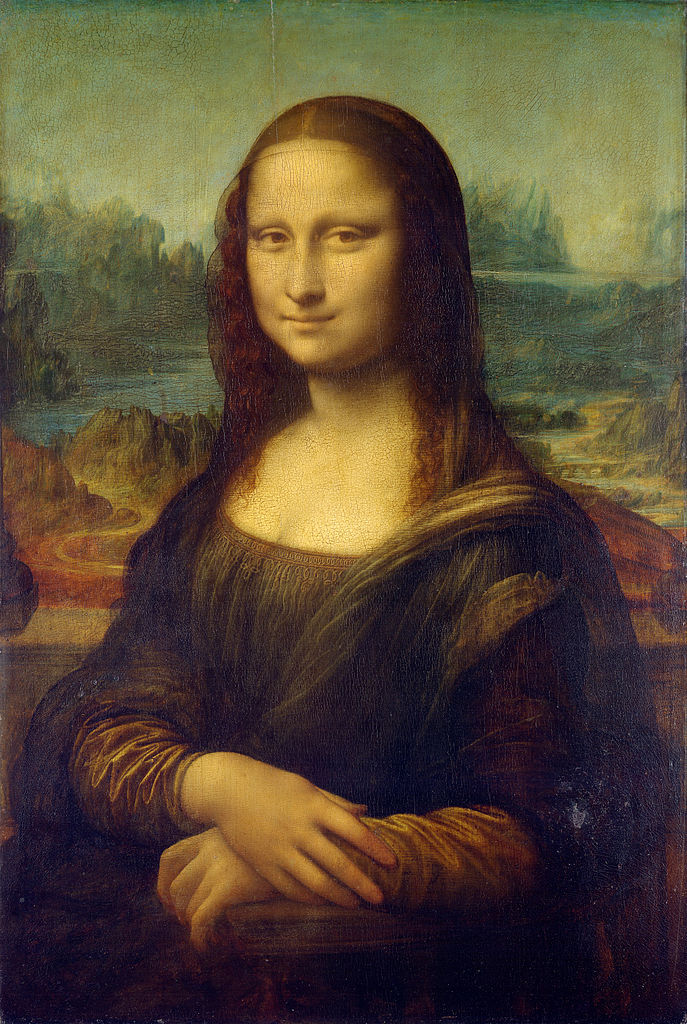
(credit: Wikipedia Public domain)

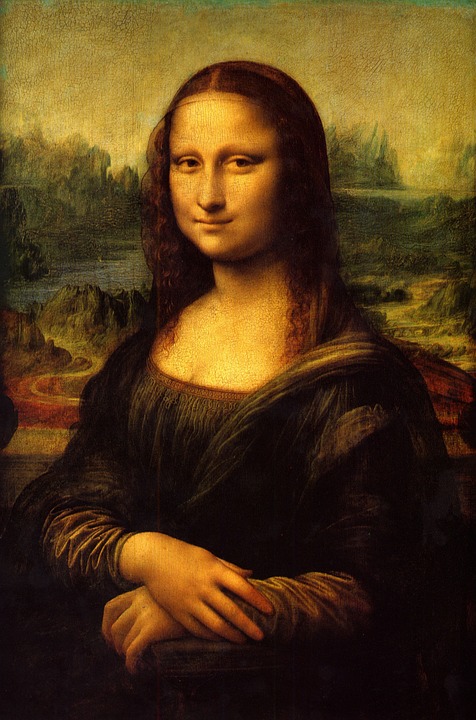
(credit: WikiImages Public domain)
Though it’s obvious to any human observer that this is the same image, we can
find a number of subtle differences: the dimensions, palette, lighting and so
on are different in each image. image_match will give us numerical
comparison:
from image_match.goldberg import ImageSignature
gis = ImageSignature()
a = gis.generate_signature('https://upload.wikimedia.org/wikipedia/commons/thumb/e/ec/Mona_Lisa,_by_Leonardo_da_Vinci,_from_C2RMF_retouched.jpg/687px-Mona_Lisa,_by_Leonardo_da_Vinci,_from_C2RMF_retouched.jpg')
b = gis.generate_signature('https://pixabay.com/static/uploads/photo/2012/11/28/08/56/mona-lisa-67506_960_720.jpg')
gis.normalized_distance(a, b)
Returns 0.22095170140933634. Normalized distances of less than 0.40 are
very likely matches. If we try this again against a dissimilar image, say,
Caravaggio’s Supper at Emmaus:
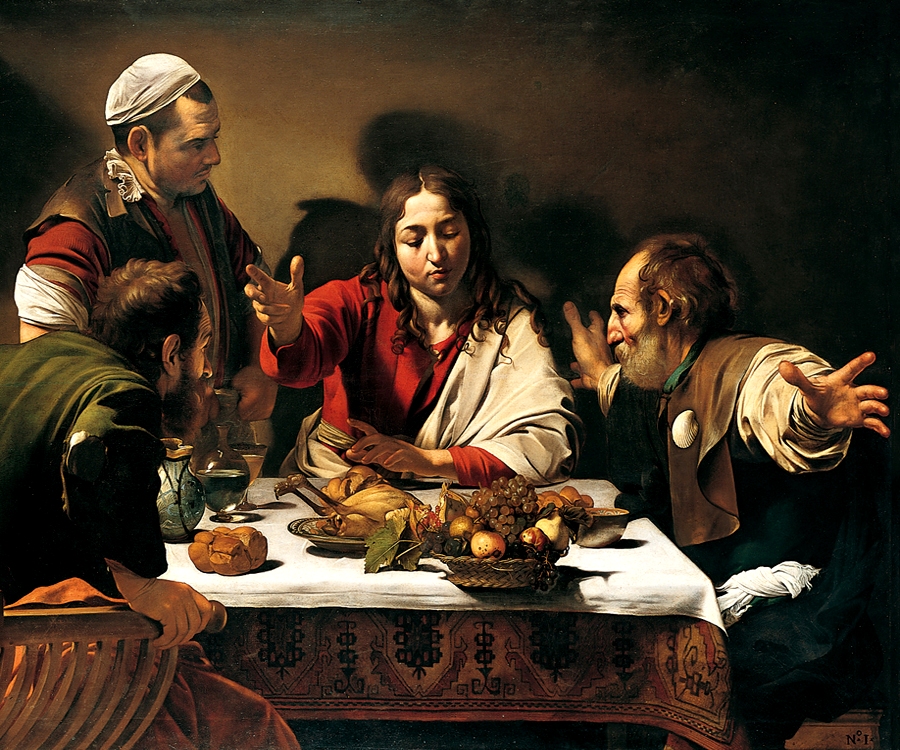
(credit: Wikipedia Public domain)

against one of the Mona Lisa photographs:
c = gis.generate_signature('https://upload.wikimedia.org/wikipedia/commons/e/e0/Caravaggio_-_Cena_in_Emmaus.jpg')
gis.normalized_distance(a, c)
Returns 0.68446275381507249, almost certainly not a match. image_match
doesn’t have to generate a signature from a URL; a file-path or even an
in-memory bytestream will do (be sure to specify bytestream=True in the
latter case).
Now consider this subtly-modified version of the Mona Lisa:
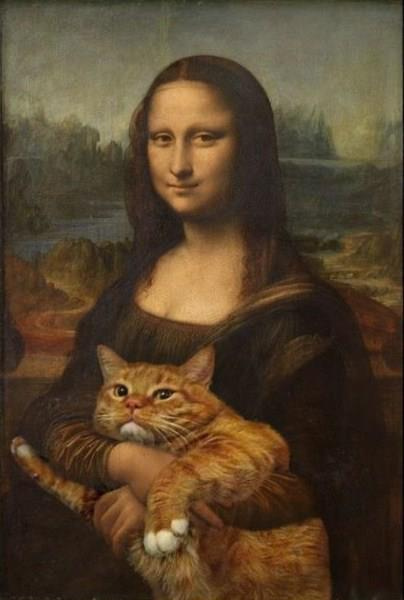
(credit: Michael Russell Attribution-ShareAlike 2.0 Generic)
How similar is it to our original Mona Lisa?
d = gis.generate_signature('https://c2.staticflickr.com/8/7158/6814444991_08d82de57e_z.jpg')
gis.normalized_distance(a, d)
This gives us 0.42557196987336648. So markedly different than the two
original Mona Lisas, but considerably closer than the Caravaggio.
How a signature is computed
generate_signature follows the Goldberg et al. paper. The intuition: a
signature does not describe what an image looks like — it describes, for a
coarse grid of points, whether the image gets brighter or darker in each of
the 8 directions around every point. That pattern survives resizing,
recompression, and modest colour changes, which is exactly what near-duplicate
detection needs. The figures below were generated from the actual pipeline on
the Mona Lisa above (tools/make_signature_figures.py regenerates them).
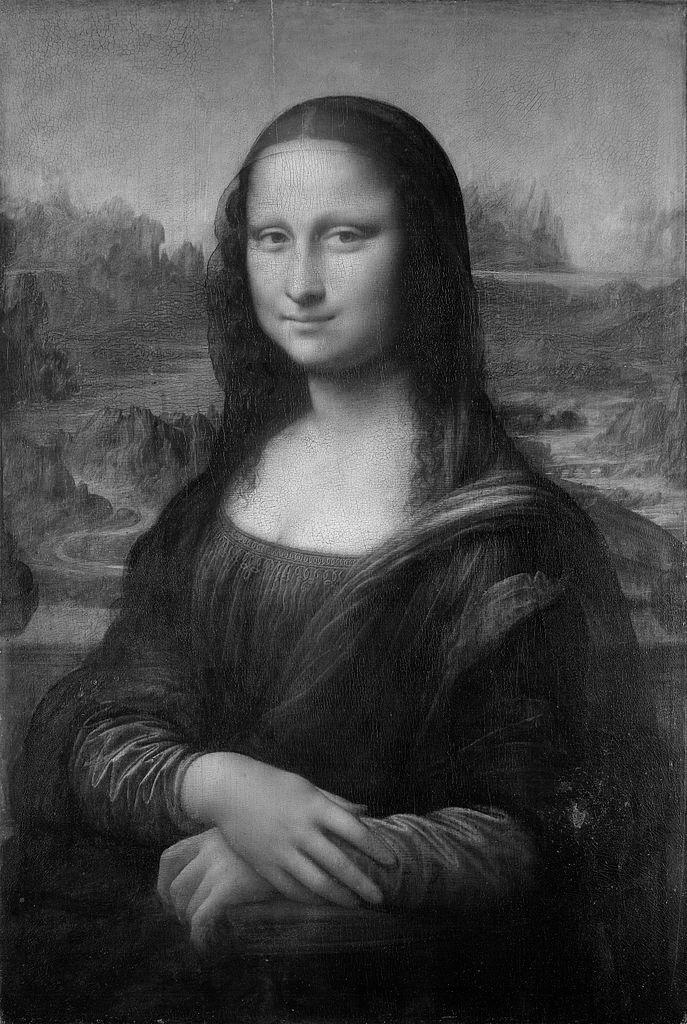
Step 1 — decode and convert to greyscale
Any input (path, URL, bytes, or numpy array) is decoded and reduced to a
single-channel float array in [0, 1]. Our Mona Lisa is 687×1024 pixels.
Colour information is discarded at this point — which is why the signature is
insensitive to palette shifts.
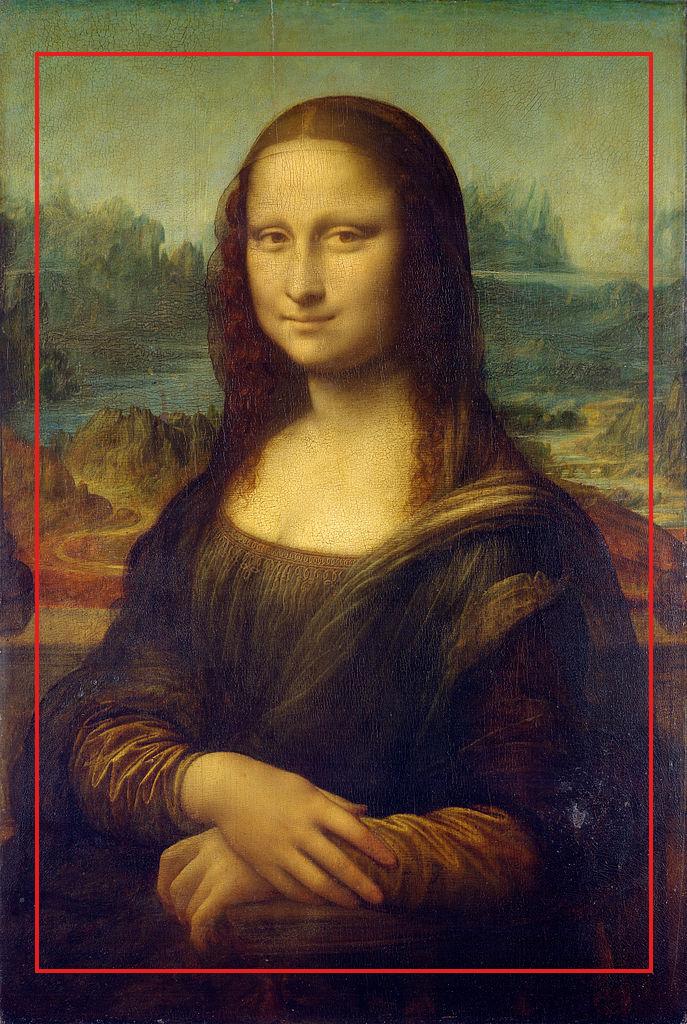
Step 2 — crop featureless borders
crop_image finds the rows/columns where most of the change happens and
drops uniform borders (5th–95th percentile of cumulative absolute difference).
For this image it keeps rows 52–972 and columns 35–652 — the frame and outer
edges are ignored, so a photo with a different frame or matte still matches.
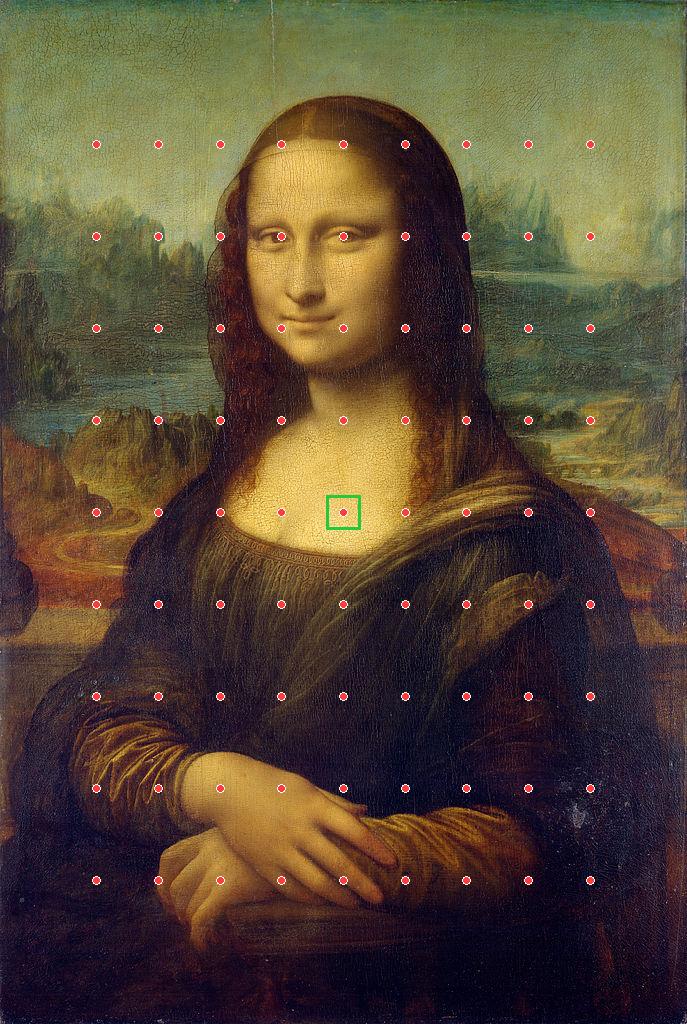
Step 3 — place the 9×9 grid
compute_grid_points places n × n = 81 evenly spaced sample points
inside the cropped region. The green box is one P × P window
(P = 34 px here — min(image dimension) / 20) centred on a grid point.
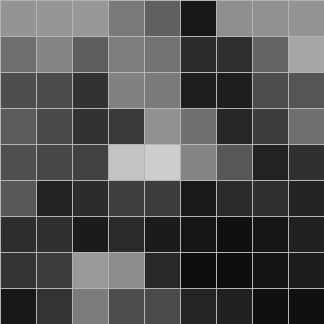
Step 4 — mean grey level per window
compute_mean_level averages each window into one number, giving a 9×9
matrix. Squint — the Mona Lisa is still recognizable: the dark mass of her
dress at the bottom, the light face/chest in the centre. This coarse grid is
the whole “content” the signature ever sees, which is why tiny watermark and
compression differences don’t matter.
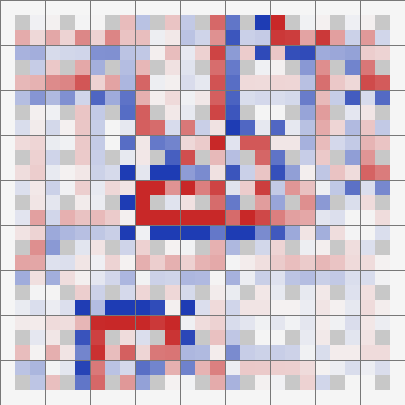
Step 5 — differences to the 8 neighbours
compute_differentials subtracts each grid point’s level from each of its 8
neighbours, producing a 9×9×8 array. In the figure each 3×3 mini-block is one
grid point: the centre pixel is the point itself and the 8 coloured pixels are
the differences to its neighbours (blue = neighbour darker, red = neighbour
brighter, white = same).
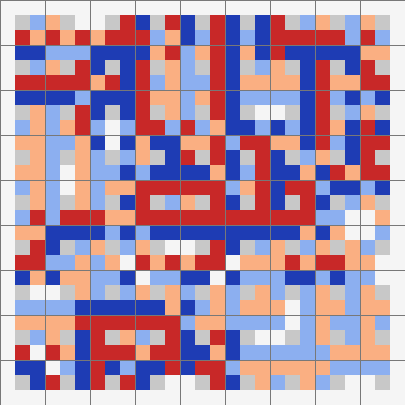
Step 6 — quantize to the signature
normalize_and_threshold bins each difference into {-2, -1, 0, +1, +2}
(values within identical_tolerance of 0 collapse to 0). Flattened, that’s
the signature: an int8 vector of 9·9·8 = 648 dimensions. For this image the
bins are almost perfectly balanced: 128×(−2), 128×(−1), 136×(0), 128×(+1),
128×(+2).
Step 7 — split into words and encode as integers
For indexing (not distance computation), the 648 values are split into
N = 63 overlapping words of k = 16 values each, starting ~10 positions
apart (linspace(0, 648, 63)). max_contrast collapses each word to
{-1, 0, 1}, then words_to_int encodes it as a base-3 integer. Row 0 below:
[0,0,0,0,-1,0,1,1,0,0,0,1,0,1,1,1] → simple_word_0 = 42429541
The record stored in the backend is {path, signature, metadata?,
simple_word_0 … simple_word_62}.

From signature to index to match
The word fields exist for one reason: a cheap pre-filter. An exact term
match on any simple_word_* makes a record a candidate, so the full
648-dim distance is only computed on a small subset — that is what lets the
index scale to billions of images.
flowchart TB
subgraph sig["1. Signature generation"]
direction TB
A["input image<br/>path · URL · array · bytes"] --> B["preprocess_image<br/>decode → greyscale float array"]
B --> C["crop_image<br/>percentile bounds (5–95%)<br/>drop featureless borders"]
C --> D["compute_grid_points<br/>n×n grid centres (9×9)"]
D --> E["compute_mean_level<br/>mean grey per P×P window<br/>→ n×n matrix"]
E --> F["compute_differentials<br/>diffs vs. 8 neighbours<br/>→ n×n×8"]
F --> G["normalize_and_threshold<br/>bin to {-2 … +2}"]
G --> H["signature<br/>int8 vector, 9·9·8 = 648 dims"]
end
subgraph idx["2. Indexing"]
direction TB
H --> I["get_words<br/>N = 63 overlapping words × k = 16"]
I --> J["max_contrast<br/>collapse to {-1, 0, 1}"]
J --> K["words_to_int<br/>each word → one integer"]
K --> L["record:<br/>path · signature · metadata<br/>simple_word_0 … 62"]
L --> M[("backend index")]
end
subgraph qry["3. Search"]
direction TB
Q["query image → same pipeline → record"] --> R["word query:<br/>match any simple_word_*"]
M -.-> R
R --> S["candidates: normalized_distance<br/>on full 648-dim signatures"]
S --> T["keep dist < distance_cutoff (0.45)<br/>dedupe → sort by dist"]
end
With all_orientations=True the query is expanded to up to 8
rotations/mirrors/inversions of the same image.
The OpenSearch k-NN drivers skip the word pre-filter entirely — the 648-dim
signature is stored as a knn_vector and searched directly with
approximate nearest neighbours. See Migrating to the OpenSearch k-NN index for moving an existing
word index to a k-NN index.